
ALL THREE APPS
Pulsar Office Suite
Write, Sheets, and Slides together. Install the suite for the shared Project Pack workflow and cross-app .psr file routing.
Download free previewmacOS DMG · 13.9 MB
One brief. A proposal, an estimate, and a presentation — on your Mac.
Pulsar Technology · Product systemApple silicon Mac (M1 or newer) · macOS 26 or later
Free to download now. No account or checkout.
Write, Sheets, and Slides together. Install the suite for the shared Project Pack workflow and cross-app .psr file routing.

Business writing, section checks, and a focused page.

Estimates, formulas, and reversible what-if previews.

Branded slides, delivery checks, and timed rehearsal.
AI features require Apple Intelligence to be enabled and its on-device model ready. Availability depends on supported hardware, region, and language.
This development preview is ad-hoc signed and has not been notarized by Apple. If macOS blocks opening, check System Settings → Privacy & Security for Open Anyway.
Basic Office compatibility. Advanced layouts and features may not be preserved. Keep original Office files and inspect exports. Save .psr to preserve Pulsar-specific features.
Local writing, spreadsheet, and presentation checks do not verify factual accuracy. Review facts, figures, approvals, and exports before sharing. Pricing for future releases has not been announced.
Ordinary .psr files are readable JSON and include local AI activity and slide notes. Project Pack copies omit private AI activity, and the pack’s project data omits imported source excerpts and unapproved fact records. Authored document content is included.
View the download manifest for exact file sizes and SHA-256 values.
36be190bb6a096841d996c410eb360bf9d503c1a95d5372b29584f6d32f837f6232b3719be868283c64bd90e7a3e7b9777d87fb7e2f3883e424ba0a1a830be71badaf12a3e7b869111a9fa25215cb8bc8a53cbd87c09c9d6074ccb55f7b11e2d557b104a10d0f30beba6843ace0ae047b5199e877889baa3b80398dbf9d397b2A shared brief, three focused editors Illustrative example project
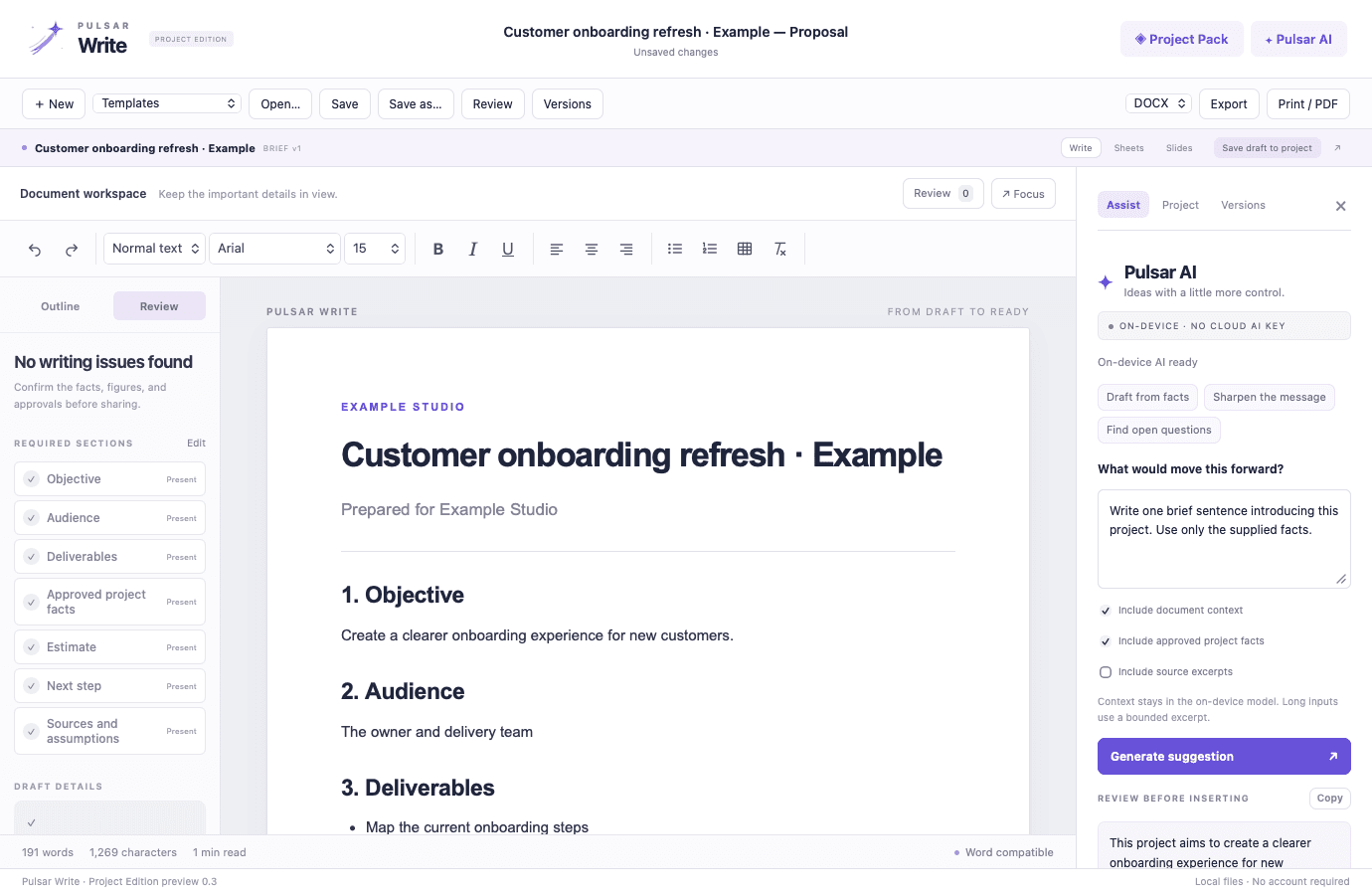
Organize the source, instructions, evidence, and open questions in a browser worksheet. Try a fictional example, then download a text brief for Pulsar Write or another editor.
Pulsar Office brings Write, Sheets, and Slides together around one project brief. Use your approved facts and estimate inputs to create three editable starting drafts, review each one, and export a complete project pack. On-device AI supports the work while you control what gets inserted.
Free preview for Apple silicon Macs running macOS 26 or later. No account or checkout is required to download. AI features need Apple Intelligence enabled and ready. This is a development preview with basic Office compatibility.
Each capability is designed as part of the same product workflow, with context carried forward instead of rebuilt at every step.
Keep the objective, deliverables, approved facts, and estimate inputs together. Build a document, formula-driven cost model, and branded presentation from the information you enter.
Write with section checks and an outline, explore spreadsheet scenarios, and prepare a presentation with delivery coaching and rehearsal tools.
AI suggestions remain separate until you insert them. Insertion creates a local restore point, and Versions keeps a local activity and checkpoint record.
Export a project ZIP with .psr originals, DOCX/XLSX/PPTX copies, PDFs, and the project brief. Imported source excerpts and private AI activity are omitted from the pack’s project data.
A deliberate sequence keeps the work understandable for the people doing it and reviewable for the people accountable for it.
Enter the objective, deliverables, next action, supporting facts, and estimate inputs in Project Pack.
Create three starting drafts from the saved brief and the facts you mark approved.
Edit each draft, inspect the figures and sources, and save the changes back to the project.
Export a complete project pack or the individual formats your reader needs.
Keep a project’s source brief close to its deliverables
Inspect estimate inputs and formulas together
Hand off editable originals alongside shareable copies
Pulsar WriteGive proposals, decisions, and procedures a clearer path from draft to ready.Explore free preview Operate & connectDownloadable previewPulsar SheetsBuild the estimate. Inspect the formulas. Explore what changes.Explore free preview Operate & connectDownloadable previewPulsar SlidesPrepare the story, then practice how you will deliver it.Explore free preview