
INDIVIDUAL APP
Pulsar Write
Business writing, section checks, and a focused page.
Download free previewmacOS DMG · 5.0 MB
Give proposals, decisions, and procedures a clearer path from draft to ready.
Pulsar Technology · Product systemApple silicon Mac (M1 or newer) · macOS 26 or later
Free to download now. No account or checkout.
Business writing, section checks, and a focused page.
AI features require Apple Intelligence to be enabled and its on-device model ready. Availability depends on supported hardware, region, and language.
This development preview is ad-hoc signed and has not been notarized by Apple. If macOS blocks opening, check System Settings → Privacy & Security for Open Anyway.
Basic Office compatibility. Advanced layouts and features may not be preserved. Keep original Office files and inspect exports. Save .psr to preserve Pulsar-specific features.
Local writing, spreadsheet, and presentation checks do not verify factual accuracy. Review facts, figures, approvals, and exports before sharing. Pricing for future releases has not been announced.
Ordinary .psr files are readable JSON and include local AI activity and slide notes. Project Pack copies omit private AI activity, and the pack’s project data omits imported source excerpts and unapproved fact records. Authored document content is included.
View the download manifest for exact file sizes and SHA-256 values.
232b3719be868283c64bd90e7a3e7b9777d87fb7e2f3883e424ba0a1a830be71Pulsar Write Illustrative example project
Organize the source, instructions, evidence, and open questions in a browser worksheet. Try a fictional example, then download a text brief for Pulsar Write or another editor.
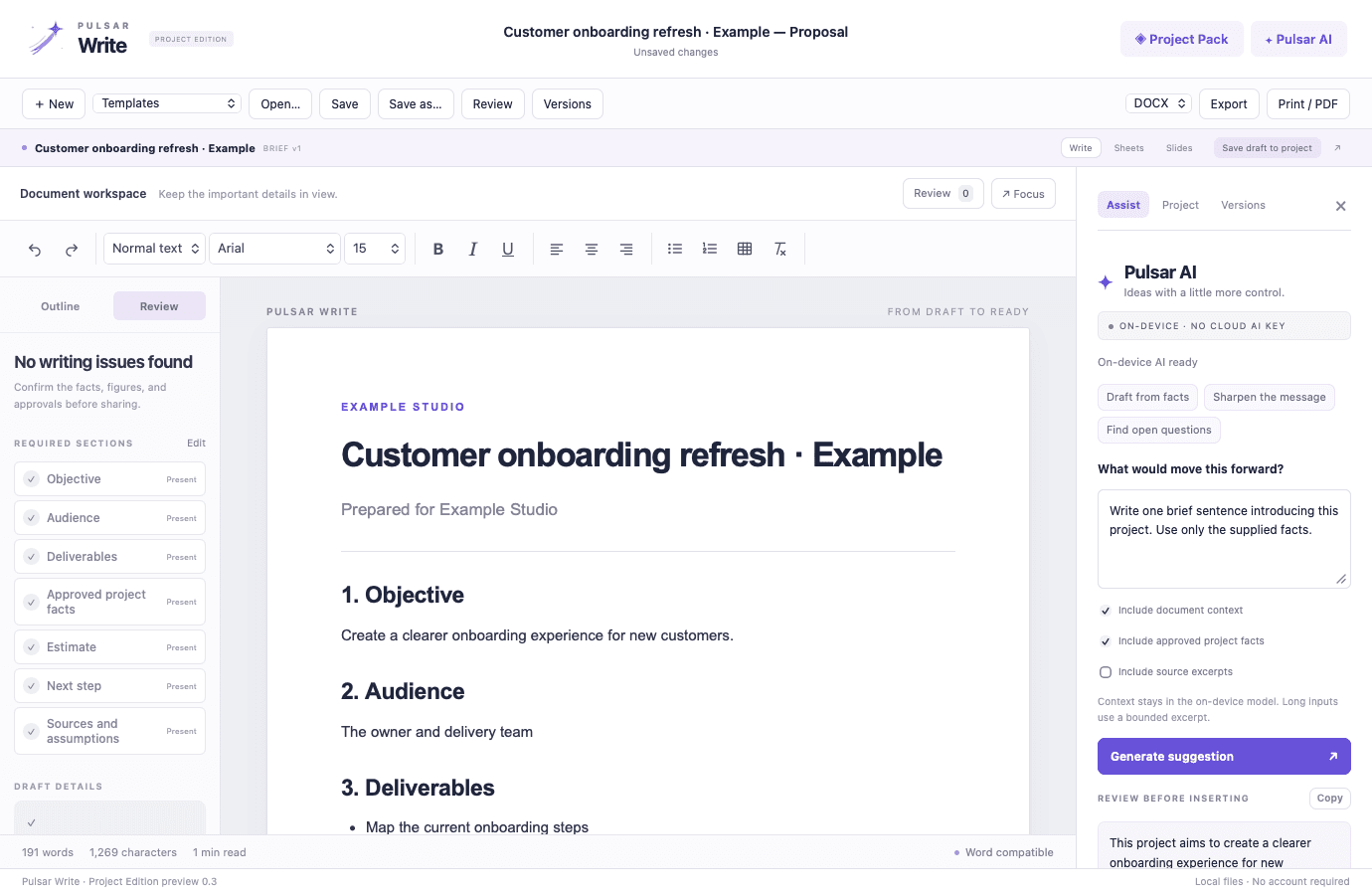
Pulsar Write is a focused document editor for business writing. Start with an original proposal, decision memo, or procedure template, keep required sections in view, and find unfinished draft details before sharing. Save a .psr original or export DOCX, HTML, text, and PDF.
Free preview for Apple silicon Macs running macOS 26 or later. No account or checkout is required to download. AI features need Apple Intelligence enabled and ready. This is a development preview with basic Office compatibility.
Each capability is designed as part of the same product workflow, with context carried forward instead of rebuilt at every step.
Adapt proposal, decision memo, and operating procedure templates to your project rather than starting with an empty page.
Edit the required-section checklist and use the heading outline to move through the document.
Local checks flag placeholders, missing or thin sections, and long sentences. Select an issue to jump to its text; these checks do not verify facts.
Use rich text, tables, and focus mode. Review on-device AI suggestions before inserting them with a restore point.
A deliberate sequence keeps the work understandable for the people doing it and reviewable for the people accountable for it.
Choose a template or build a starting draft from your shared project brief.
Write and format the content, then tailor the section checklist to your reader’s needs.
Resolve draft details and check every factual claim and approval yourself.
Keep a .psr original and create a DOCX, HTML, text, or PDF copy for sharing.
Make required sections visible during writing
Catch unfinished draft fields before sharing
Keep an editable original for the next revision
 Pulsar OfficeOne brief. A proposal, an estimate, and a presentation — on your Mac.Explore free preview Operate & connectDownloadable preview
 Pulsar SheetsBuild the estimate. Inspect the formulas. Explore what changes.Explore free preview Operate & connectDownloadable preview
 Pulsar SlidesPrepare the story, then practice how you will deliver it.Explore free preview