
INDIVIDUAL APP
Pulsar Sheets
Estimates, formulas, and reversible what-if previews.
Download free previewmacOS DMG · 4.9 MB
Build the estimate. Inspect the formulas. Explore what changes.
Pulsar Technology · Product systemApple silicon Mac (M1 or newer) · macOS 26 or later
Free to download now. No account or checkout.
Estimates, formulas, and reversible what-if previews.
AI features require Apple Intelligence to be enabled and its on-device model ready. Availability depends on supported hardware, region, and language.
This development preview is ad-hoc signed and has not been notarized by Apple. If macOS blocks opening, check System Settings → Privacy & Security for Open Anyway.
Basic Office compatibility. Advanced layouts and features may not be preserved. Keep original Office files and inspect exports. Save .psr to preserve Pulsar-specific features.
Local writing, spreadsheet, and presentation checks do not verify factual accuracy. Review facts, figures, approvals, and exports before sharing. Pricing for future releases has not been announced.
Ordinary .psr files are readable JSON and include local AI activity and slide notes. Project Pack copies omit private AI activity, and the pack’s project data omits imported source excerpts and unapproved fact records. Authored document content is included.
View the download manifest for exact file sizes and SHA-256 values.
badaf12a3e7b869111a9fa25215cb8bc8a53cbd87c09c9d6074ccb55f7b11e2dPulsar Sheets Illustrative example project
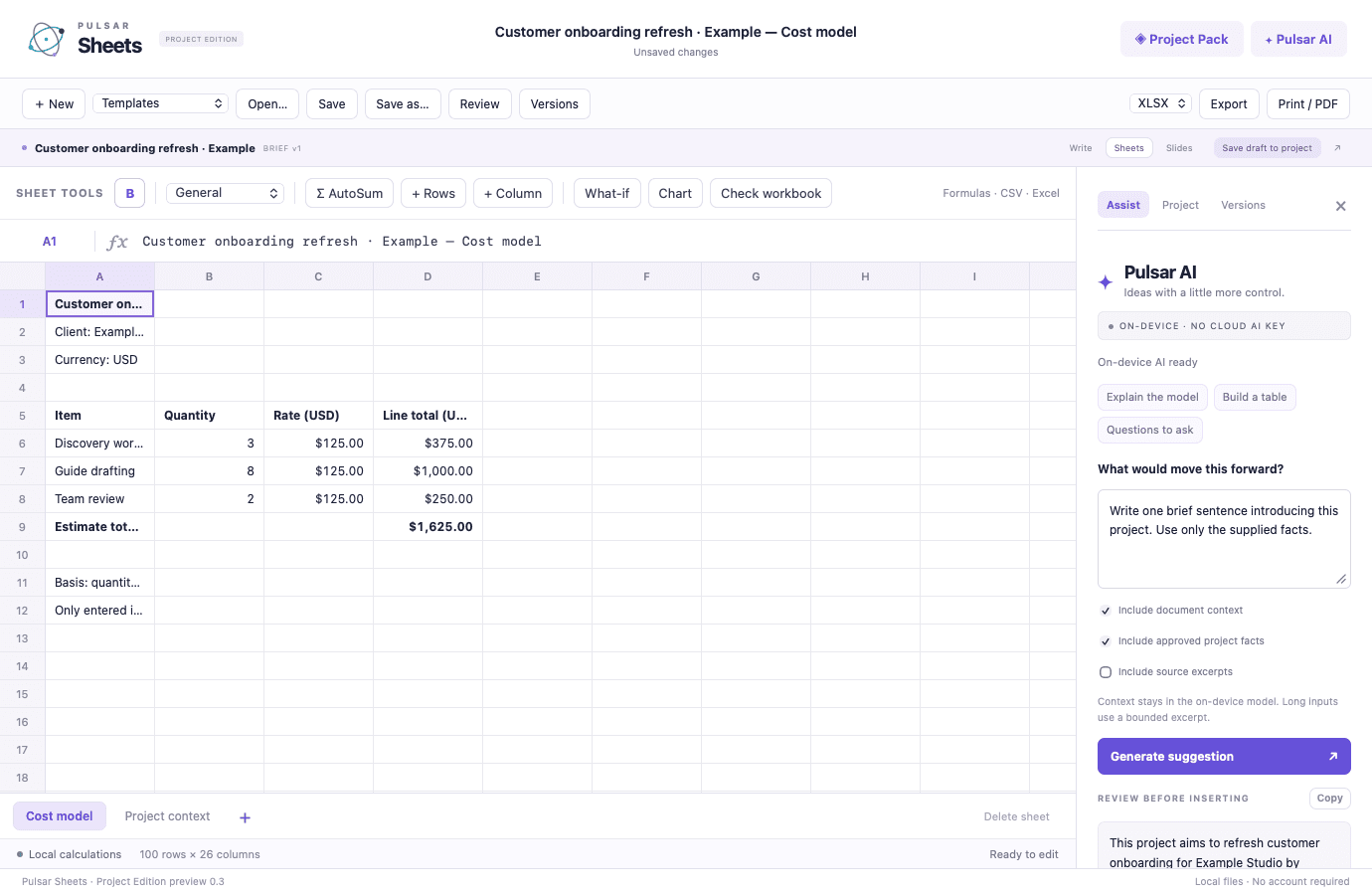
Pulsar Sheets brings supported formulas, multiple sheets, and reversible what-if modeling into a focused Mac workbook. Build estimates from entered quantities and rates, review dependent results before applying a scenario, and retain charts in your Pulsar original.
Free preview for Apple silicon Macs running macOS 26 or later. No account or checkout is required to download. AI features need Apple Intelligence enabled and ready. This is a development preview with basic Office compatibility.
Each capability is designed as part of the same product workflow, with context carried forward instead of rebuilt at every step.
Work with a limited, supported formula language across multiple sheets. A Project Pack cost model calculates quantities and rates without asking AI to do the arithmetic.
Change an input in a what-if preview and inspect dependent formula results before applying it. Guarded Apply and Undo keep the decision explicit.
Local workbook checks surface formula errors and issues that deserve attention. The checks do not verify your source figures or assumptions.
Save charts in .psr and export chart SVG. Export XLSX, active-sheet CSV/TSV values, or a tabular PDF of the workbook; charts are not embedded in XLSX or PDF.
A deliberate sequence keeps the work understandable for the people doing it and reviewable for the people accountable for it.
Enter values and supported formulas, or build a cost model from Project Pack estimate inputs.
Preview a changed input and compare the dependent results without editing the live model.
Inspect the scenario, apply it when appropriate, and use Undo if needed.
Keep the full workbook as .psr and share XLSX, CSV, TSV, PDF, or a chart SVG.
Keep estimate assumptions attached to the model
Review input changes before applying them
Share calculated values in common formats
 Pulsar OfficeOne brief. A proposal, an estimate, and a presentation — on your Mac.Explore free preview Operate & connectDownloadable preview
 Pulsar WriteGive proposals, decisions, and procedures a clearer path from draft to ready.Explore free preview Operate & connectDownloadable preview
 Pulsar SlidesPrepare the story, then practice how you will deliver it.Explore free preview